


For businesses juggling multiple projects, stakeholders, and deadlines, achieving true transparency can feel like an uphill battle. Email chains get lost, spreadsheets become outdated, and crucial updates get buried. It's hard to trace where a project stalls or determine its direction. Often, clients and project stakeholders have to handle real-time updates, conduct complete quality analysis, and switch between various platforms to access features, which hurts efficiency.
A project management dashboard allows you to keep up with different details and performance of your projects on a real-time basis. That's where a project performance dashboard management system steps in.
Definition: “A project performance dashboard is a centralized visual tool that tracks key metrics, timelines, resources, and progress in real time. It consolidates all the moving parts of a project such as tasks, team updates, KPIs, risks, and finances into one cohesive view. Instead of jumping between tools, emails, and spreadsheets, your team gets a live snapshot of where the project stands and what needs attention.”
Let's take this example. A project performance dashboard is like the dashboard of a car, but for a business. Just as a car dashboard shows you key information at a glance, like your speed, fuel level, and engine temperature, a management dashboard shows managers the most important information about their company's performance.
Imagine you're the manager of a pizza delivery company. Instead of having to call every driver, check every cash register, and look at stacks of paper reports, you could have a management dashboard that shows you everything on one screen.
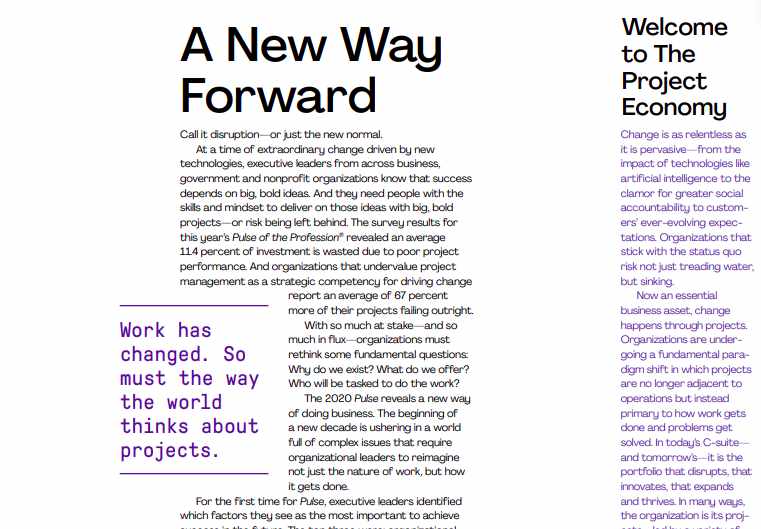
Stat: According to PMI's 2020 Pulse of the Profession report, organizations waste on average 11.4 % of investment due to poor project performance.
A performance dashboard removes information silos. Team members, clients, and stakeholders can all see what's happening as it unfolds. That means no more chasing updates or sitting through endless status meetings.
It instantly answers questions like:
Everyone stays informed, and everyone stays accountable.
Gut feelings are great, but they shouldn't run your projects. Dashboards provide real-time KPIs and performance trends that help teams:
You go from reacting to leading confidently and with context.
When everything is visible, ownership becomes non-negotiable. Dashboards make it clear who owns what, and when it's due.
Features like:
…create a culture of responsibility and stronger follow-through.
Feedback delays kill momentum. Dashboards with comment threads or update logs help teams review work and resolve issues faster.
This supports agile workflows by:
The result? Better execution in less time.
Dashboards take the headache out of reporting. With clear visual summaries and shareable reports, you can keep stakeholders in the loop without draining team productivity.
Progress updates become simple, fast, and reliable.
And most importantly, you build trust.
No matter what methodology you follow—Scrum, Kanban, Waterfall, or hybrid—a performance dashboard can be tailored to fit.
Track what matters to you, like:
Custom views ensure that every team member sees what's relevant.
By making the big picture clear and tasks visible, dashboards reduce confusion. Your team spends less time figuring things out and more time executing.
Think of it as your project's compass—pointing everyone in the right direction, every day.
Manual timesheets are outdated and error-prone. A performance dashboard with integrated time tracking helps teams:
This leads to more realistic project planning and better resource allocation—no more underestimating effort or overcommitting.
For tech teams, tracking code reviews and QA processes is critical. Dashboards can:
It ensures nothing slips through the cracks, and your delivery meets the highest standards.
Performance dashboards aren't just for tasks—they also help manage project finances. You can:
This keeps finance teams aligned and ensures smooth, timely billing.
Legal documentation is a critical but often overlooked part of projects. With the right dashboard, you can:
No more scrambling for legal paperwork when it matters most.
The short answer? Every team. But it's especially useful for:
At Oodles, our Performance Dashboard is designed for modern project teams. It gives clients a live view into progress, resources, deliverables, and KPIs tailored to their unique workflows.
Whether you're building software, managing creative projects, or delivering consulting services, our dashboard ensures that you stay in control, stay aligned, and deliver with confidence.
Q1. Can small businesses use a project performance dashboard?
Absolutely. In fact, small businesses often see immediate benefits by replacing spreadsheets and emails with a streamlined dashboard.
Q2. How often is the dashboard updated?
Most dashboards offer real-time or near-real-time syncing with your data sources, depending on the integration and platform used.
Q3. Is it only useful for IT or software development projects?
Not at all. Dashboards can be used in marketing campaigns, product launches, construction projects, and any workflow that requires visibility and accountability.
Q4. How do I choose the right dashboard software?
Consider your team size, budget, existing tools, and key metrics you need to track. Look for platforms that integrate easily with your current workflows.
Q5. Is it difficult to set up a project performance dashboard?
Most modern tools offer plug-and-play templates and integrations. With the right implementation partner, you can get started within days.
In today's fast-moving project environments, transparency and agility are not luxuries—they're necessities. A project performance dashboard acts as your control center, helping you spot issues early, streamline communication, and deliver projects with confidence. Whether you're managing one project or juggling ten, a dashboard gives you the clarity and control you need to stay ahead.
If your business is still relying on fragmented tools and scattered updates, it might be time to switch to a smarter, more visual way of working.
Are you ready to testify to the power of project performance dashboard? If yes, contact us today for proper assistance on it.


© Copyright 2009-2026 Oodles Technologies. All Rights Reserved.