


In today's fast-moving work environment, businesses rely on project management tools to organize workflows, assign tasks, and track deliverables. At the same time, teams often use a Time Tracking App to record hours, measure productivity, and manage billing. When these two systems work in isolation, employees spend more time switching between platforms than focusing on actual work. That is where deep integration makes a difference. By combining a Time Tracking App with project management tools, organizations gain real-time visibility, better forecasting, and a smoother experience for both teams and clients.
A project management tool provides the structure for tasks and deadlines. A Time Tracking App captures the hours invested. If these functions operate separately, managers must reconcile data manually, and employees often end up duplicating entries. Deep integration bridges this gap by creating a direct connection between task management and time logging.
The result is a single environment where teams can start and stop timers within tasks, while managers instantly see how those hours translate into project progress. This reduces administrative work, increases accuracy, and brings clarity to projects of every size.
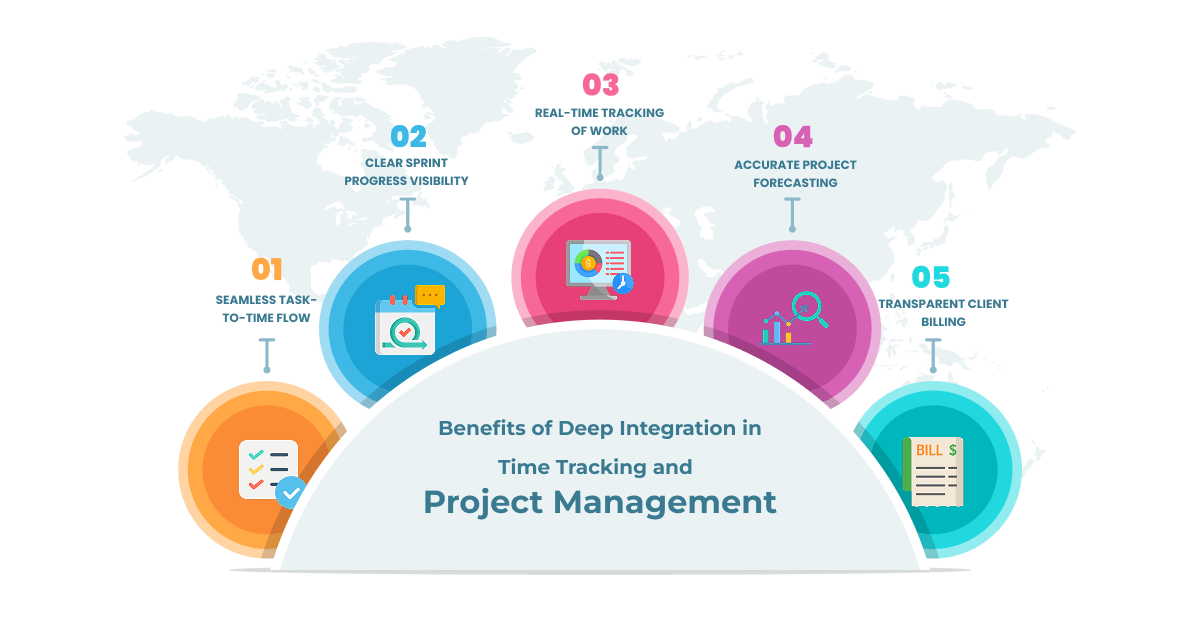
Switching between multiple platforms slows down productivity. With integration, team members can launch a timer directly from a sprint backlog or assigned task. Instead of juggling between the project board and a standalone timesheet, the Time Tracking App becomes part of the task itself.
This ensures that developers, designers, and testers focus on their work without worrying about manual logging. The effort spent on administrative updates is replaced by smooth, automatic tracking.
To explore more practical strategies for improving efficiency, check out our blog on 10 Best Time Tracking Practices | 2025
When a sprint is underway, managers need more than just task status updates. By using an integrated Time Tracking App, every logged hour links to a specific story or task. This helps leaders answer important questions:
- Which tasks are taking longer than expected?
- Who on the team is overloaded?
- Is the sprint still on schedule?
This kind of transparency keeps projects aligned and prevents last-minute surprises.
Progress in agile projects is not just about checking off tasks. A Time Tracking App integrated into the project dashboard shows both completion rates and actual hours spent. Managers see whether a task that was marked “done” took two hours or twenty.
Real-time dashboards create an accurate picture of project health. Instead of relying on assumptions, project managers can make decisions based on facts and adjust priorities immediately if required.
Historical data is a goldmine for improving future estimates. By capturing hours through a Time Tracking App and linking them to completed tasks, teams can refine their planning.
For example, if a user story was initially estimated at four hours but consistently requires eight, the team can recalibrate future sprints. This helps avoid unrealistic deadlines and gives clients a more reliable delivery timeline.
Accurate forecasting also supports resource planning, as managers know exactly how much effort typical tasks demand.
Clients want to know where their budget is going. With a Time Tracking App integrated into project tools, billing becomes straightforward. Each invoice can include a breakdown of hours linked to specific tasks such as development, testing, bug fixing, or code review.
This builds trust and reduces disputes since the hours are tied directly to documented project work. Clients see the value of their investment, while teams maintain accountability without additional effort.
Apart from the immediate sprint benefits, integrating a Time Tracking App with project management tools also brings long-term advantages for the entire organization.
During sprint planning, teams set goals and estimate effort. With a Time Tracking App connected to tasks, these estimates can be validated over time. Managers compare planned hours with actuals and continuously improve estimation accuracy.
For distributed teams, visibility is often a challenge. An integrated system allows managers to see how remote members are contributing without micromanaging. The Time Tracking App ensures that logged hours are transparent, fair, and aligned with assigned tasks.
Agencies and IT service providers depend heavily on accurate billing. Integration ensures that every billed hour is tied to real project work. This creates confidence for clients and makes the payment cycle smoother.
Read more: Mastering Task Management with Agile Sprint Planning — to strengthen your approach to agile planning and execution.
When organizations rely on separate systems, they often face:
These problems directly affect productivity and profitability. Integration solves them by removing silos and creating a unified work environment.
Time tracking is not just about logging hours. It is about creating clarity, accountability, and efficiency in the way teams work. A Time Tracking App integrated with project management tools goes beyond recording time; it aligns effort with goals, improves forecasting, and strengthens collaboration.
When hours connect directly to tasks, managers gain reliable insights, clients see transparent billing, and teams focus more on delivering value. In a business world where deadlines and resources are critical, such integration helps organizations stay on track and make informed decisions.
Deep integration of a Time Tracking App with project management is more than a convenience, it is a strategy for building reliable workflows and sustainable project success. If your teams are still managing time and tasks separately, now is the right moment to bring them together. Take the next step towards smarter project management. Start now.


© Copyright 2009-2026 Oodles Technologies. All Rights Reserved.